
What is a 404 Page?
I include the 404 error page copy as a standard inclusion in my full website copy service.
But waaaait, what is a 404 page?! And more importantly, why do you need to care about this confusing-sounding page?
I’ll admit, it might sound pretty technical and foreign, like: "404-beep bop beepbeb!" And did I say 'error' somewhere? What exactly are these errors, and are they bad enough to warrant a whole page? It doesn’t really get mentioned much elsewhere…so do you really need to pay for me to take care of it?
So many questions. And I'm here to say: it's definitely not scary, you can understand it quickly and easily, and a 404 error page is so, so important to pay attention to. It doesn't cost enormously in copy hours, but it plays a big role in terms of navigational strategy, and thus, is a crucial element of the entire site package.
Here's why.
So…What is a 404 Page, now?
Simple: The 404 page shows up when someone visits a broken link to your site. (A broken link is one that doesn't exist — anymore, or ever — maybe is misspelled, or has been linked incorrectly.) Instead of showing a blank page, the site defaults to your 404 page.
Without a custom version, it might look something like this:
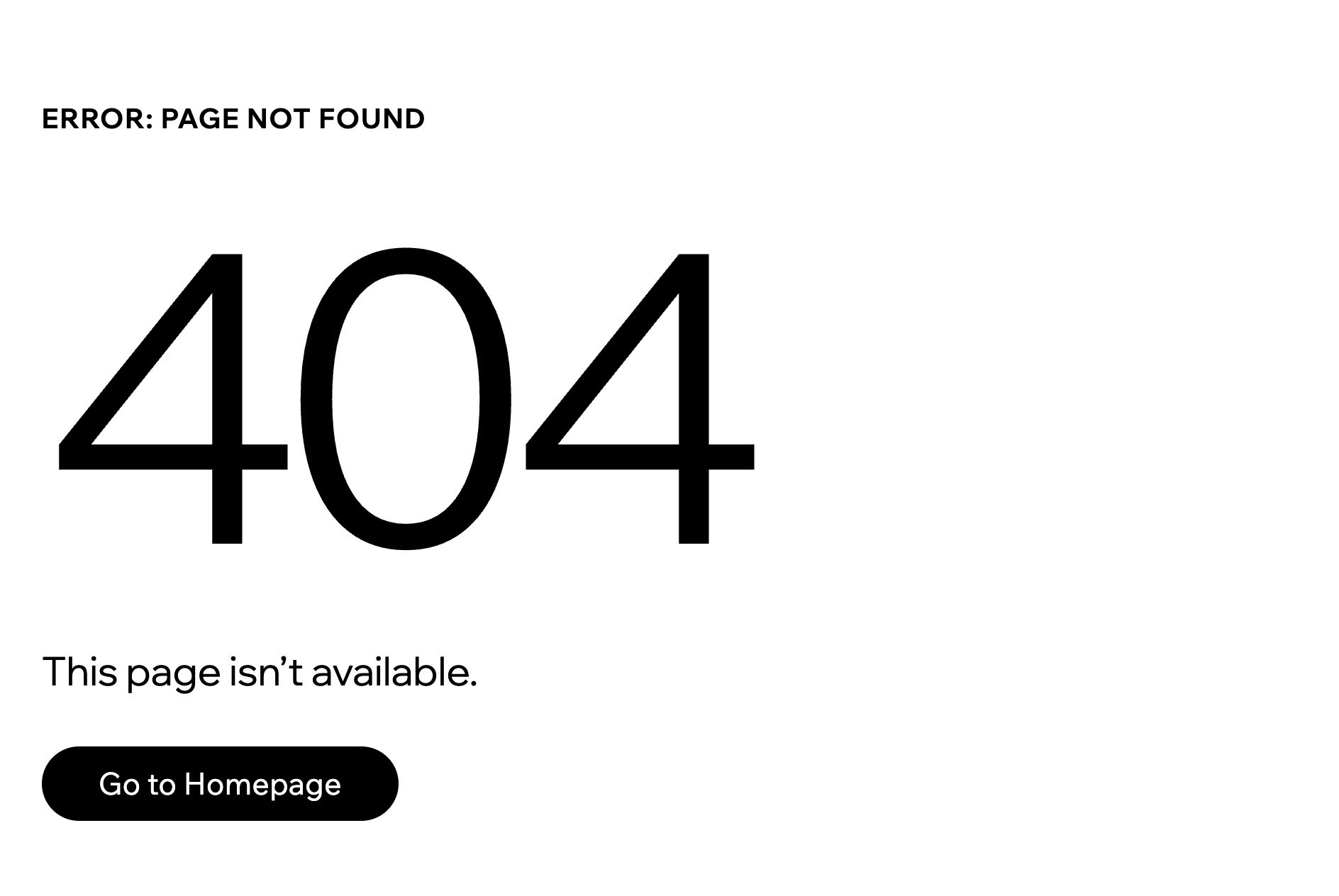
So yeah, the standard-issued 404 page from your hosting platform, like the one above, is fine — like, ok fine I will sit in the middle seat on a 6-hour flight fine. Or, shoot, the restaurant ran out of the Wagyu main so fine I'll settle for the cauliflower entree…fine.
Fine is fine…but why not do a bit better?
You might also be thinking: I've got a good handle on my site, I don't need this, cut that service and give me a discount!
No. I draw the line and you will listen to me now!
Because you will have broken links — especially as you expand, add services, launch sales pages, or include more links and media. It's inevitable. And not only is it a big part of your strategy, it is so key to the future health of your website and your business.
Why a 404 Page is Important
If there's anyone with a bit of marketing savvy, they'll recognize the 404 page as a key opportunity to build into the branding ecosystem. It's more than a snazzy looking extra — it's part of your overall site strategy in terms of branding, tone, and navigation (aka, getting people to go where you want them to go).
That's why I include it in every full site package.
It is a best practice in website strategy to guide lost visitors back to relevant content, rather than leaving them at a loss and watching them close the tab for good.
And ultimately, it boils down to user experience. Most people I work with are smaller businesses that set themselves apart from big-box marketing through their custom client experiences — and a well-designed 404 page could be one of the first impressionable moments that you impart on a new user.
Examples of Effective 404 pages
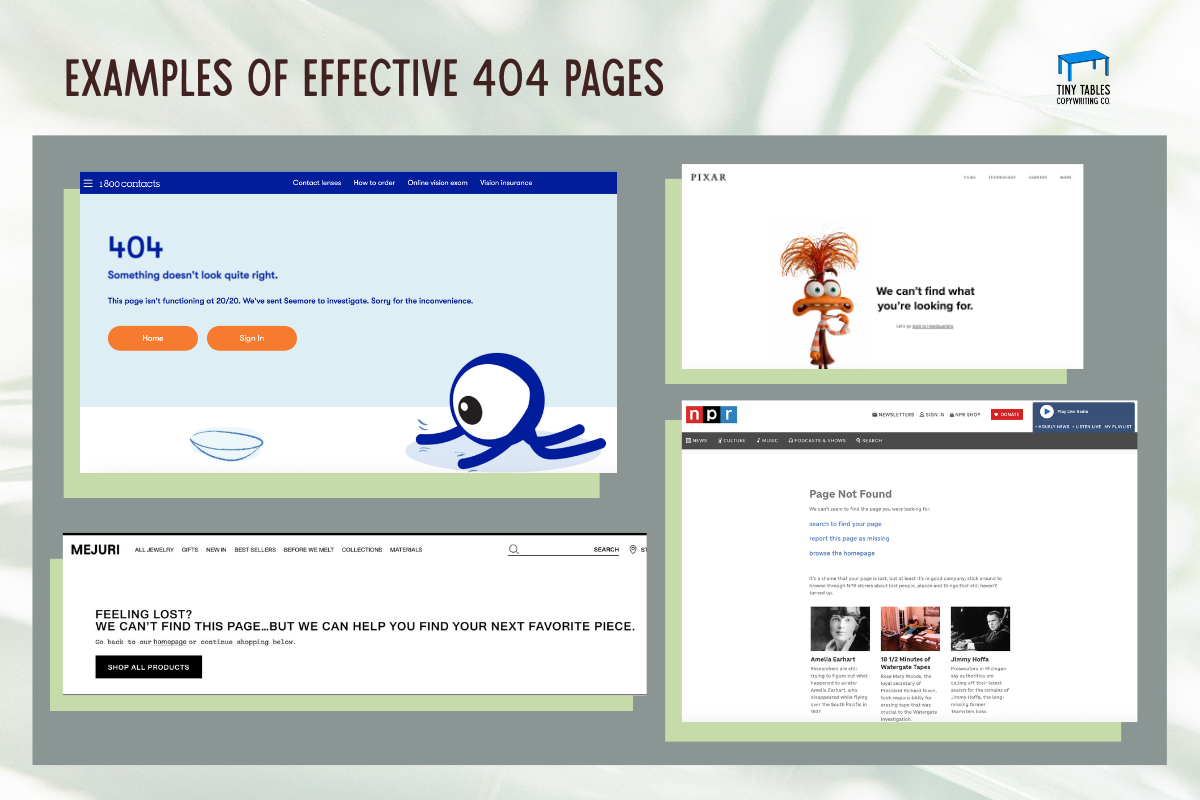
I've included some examples below of clever, branded 404 pages. Pixar adds a cute character (onbrand), 1-800 Contacts uses intentionally fuzzy text (clever wordplay), Mejuri is simple but effective (main service and product redirect) and NPR uses it as a way to show people even more of its content (resource redirect).
My own 404 page isn't anything particularly novel, but it's on-brand with a photo and design — not just a blank white page with "404 PAGE" in huge Helvetica — plus includes a bit of wordplay and, most importantly, it takes visitors back to a select few pages that I’ve curated.
For the DIY’ers
Now that you know what is a 404 page, you can get to work! If you plan to DIY your own 404 page, this is what you’ll need to include to redirect someone strategically, and have your visitors land exactly where you want them.
An H1 that clearly states the page isn't found — make it clever or catchy
A little personality. Even a small "oopsie!" signals at first glance that this isn't a boring default page
A redirect — common options include your homepage, services page, or blog
Consider adding a search bar and inviting users to look for what they need
Favorite blog posts or popular resources are great to link here too — you know your audience best, and you probably have a sense of what someone navigating your site might be looking for
Whatever you do, don't redirect anyone off your site — even to your own social media. The goal is to keep visitors on your website.
So go forth! Make your 404 page something worth landing on. And if you'd rather hand it off entirely — well, you know where to find me.